


Manual server work
Your first deploy starts with a pile of small jobs.
Install Docker. Configure Nginx. Connect the domain. Add HTTPS. Set the right environment variables. Miss one step and the app does not start.
Connect your code and server. Opslin helps set up your web address, security, database, logs, monitoring, and recovery—all from one simple dashboard.
Opslin is a managed VPS deployment platform that helps developers and teams deploy websites, APIs, backends and software on Linux servers they control.
Integrates with
Quick trust strip
Hetzner, DigitalOcean, AWS, or the box under your desk. Opslin never hosts your app or touches your bill — it's yours before, during, and after.
Paste a single install command on your server. A tiny agent wakes up and says hello to Opslin. Nothing to configure, nothing to open.
Point Opslin at your repo — Node, Python, Go, PHP, Ruby, Java, Rust, or static — or drop a zip if you don't use Git. Either way works.
Every push builds, deploys, and checks itself for health automatically. Shipped something broken? Roll back to the last working version in one click.
Free auto-renewing SSL. A firewall that applies safely and reverts itself if it breaks something. Your server never accepts inbound connections — it only ever calls out to Opslin, like a phone calling home, never picking up strange calls.
Live metrics and health checks run around the clock, with alerts the moment something looks wrong — so small problems don't turn into downtime.
One operating boundary, stated clearly. Available beta features, gated work, and current limits are separated throughout the site.
The problem
Developers want to build their product. But every release can turn into a long list of server tasks, strange errors, and guesswork.
Manual server work
Install Docker. Configure Nginx. Connect the domain. Add HTTPS. Set the right environment variables. Miss one step and the app does not start.
Risky releases
Logs are in one place, server status is in another, and the last working version may be hard to find when you need it most.
The hidden cost
Your code is only one part of the job. You also have to keep the server, domain, database, secrets, logs, and recovery plan working together.
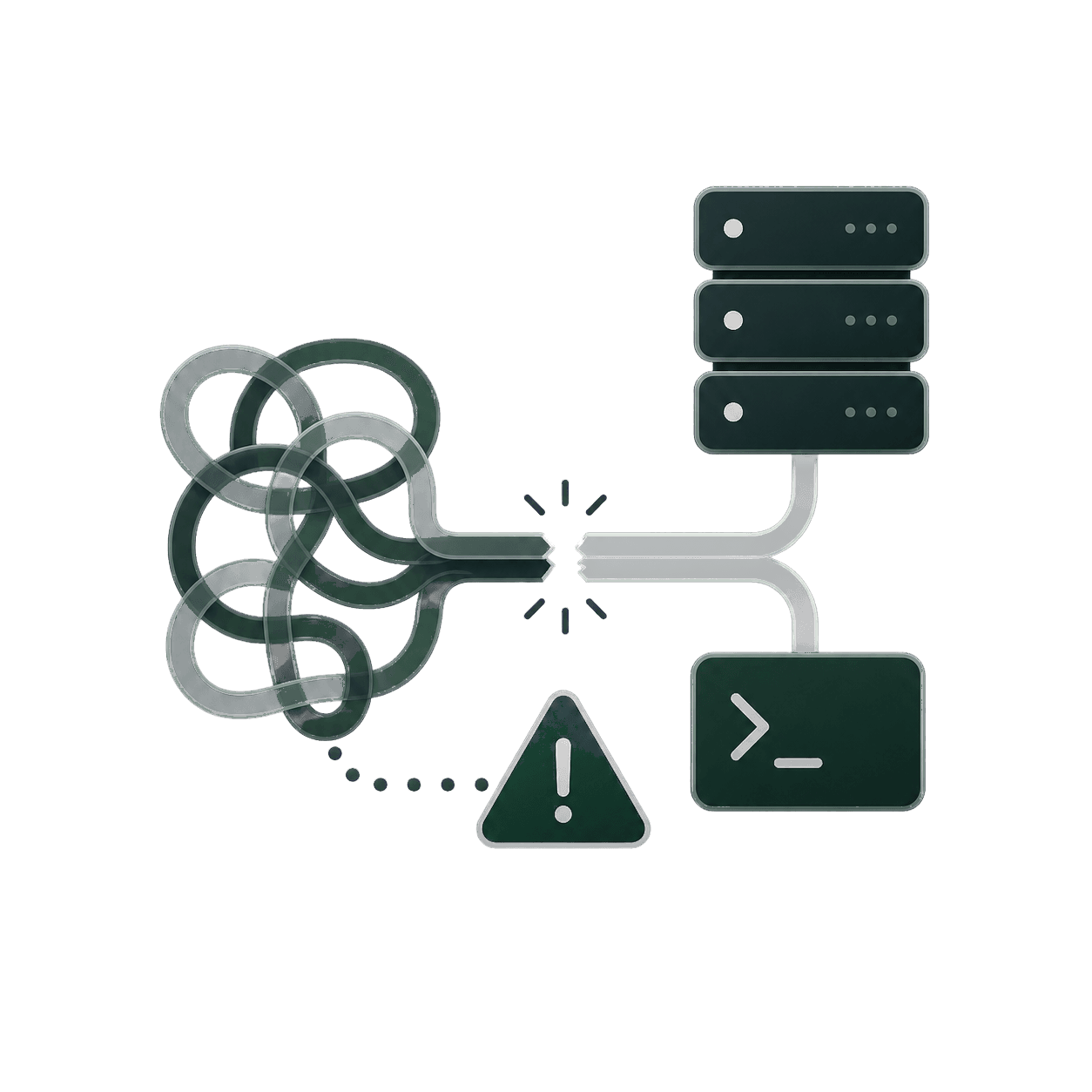
Build your product. Let the repeatable server work become a clear path.
How it works
Connect infrastructure, automate delivery, prepare data, validate the release, and keep the live system in view.
Add any supported Linux VPS. Opslin gives you a setup flow, and the outbound agent connects from your server.
$ Paste the dashboard-generated setup command
Inside the dashboard
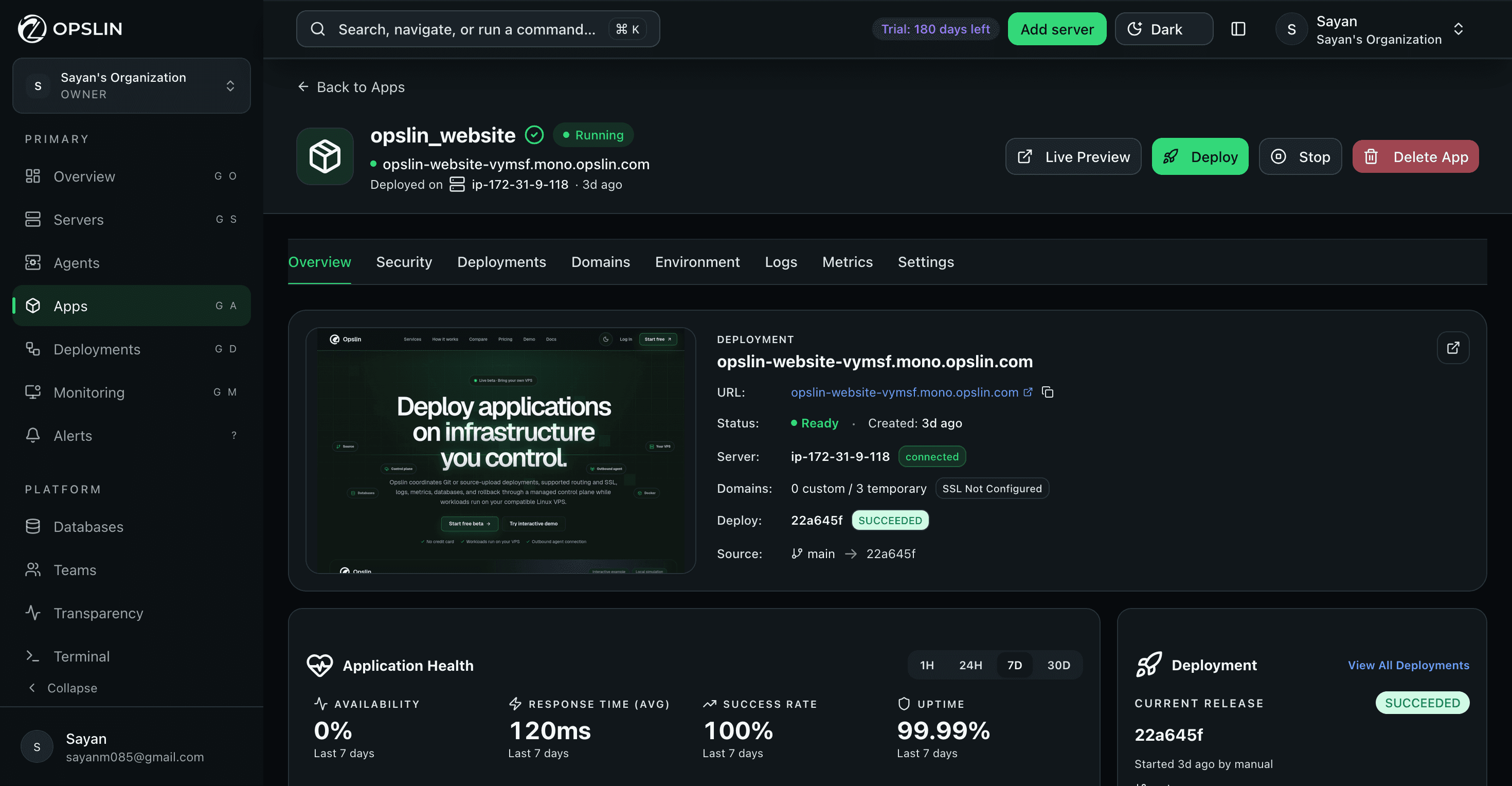
Six screens from a live Opslin organization: fleet overview, apps, servers, databases, monitoring, and a full web terminal.
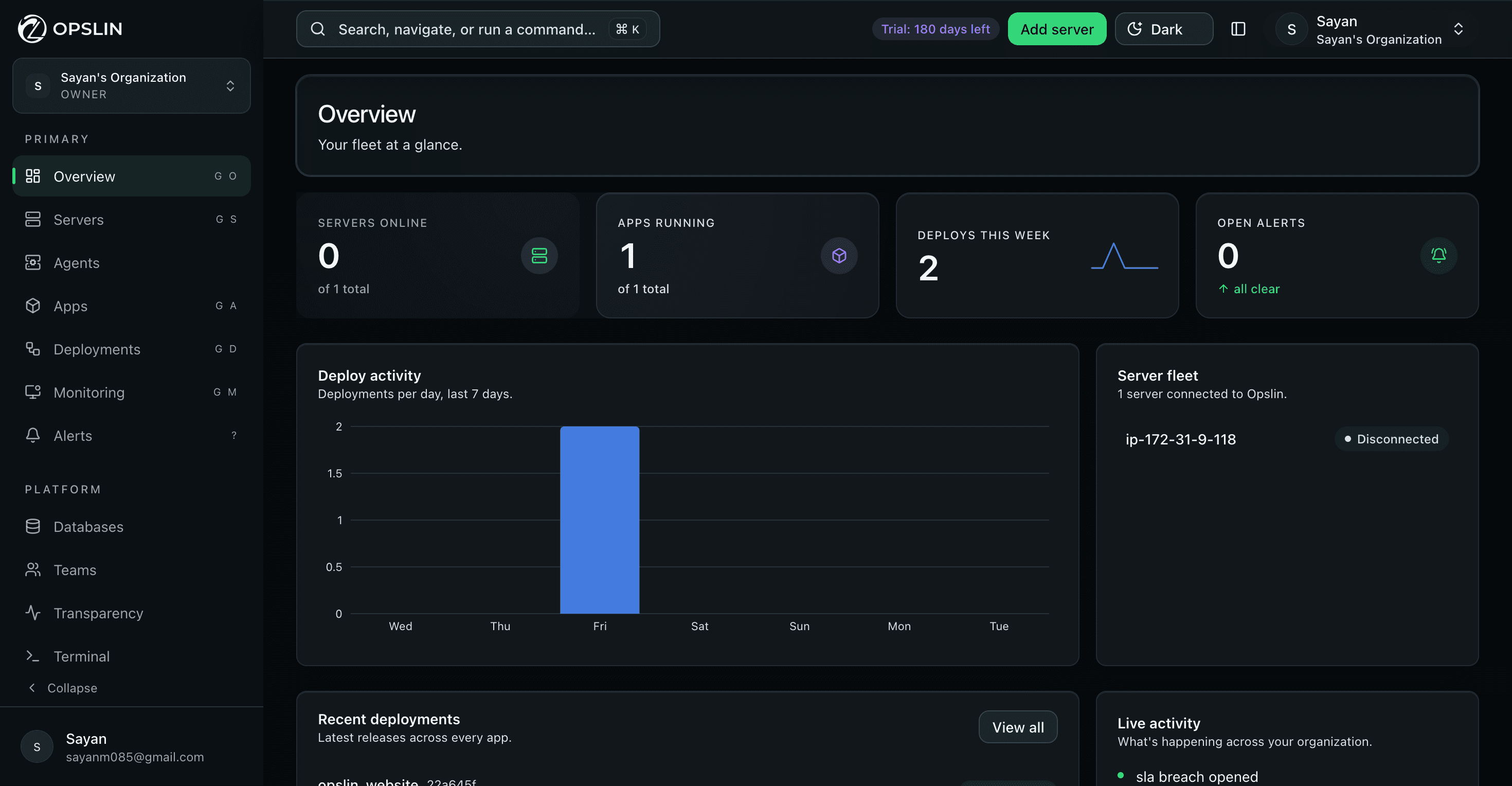
Fleet overview
Servers online, apps running, this week's deploys, and open alerts as four numbers, plus a 7-day deploy chart and a live activity feed for the whole organization.
Applications
Live status, deployment URL, and health for each app, with Deployments, Domains, Logs, Metrics, and more one tab away.
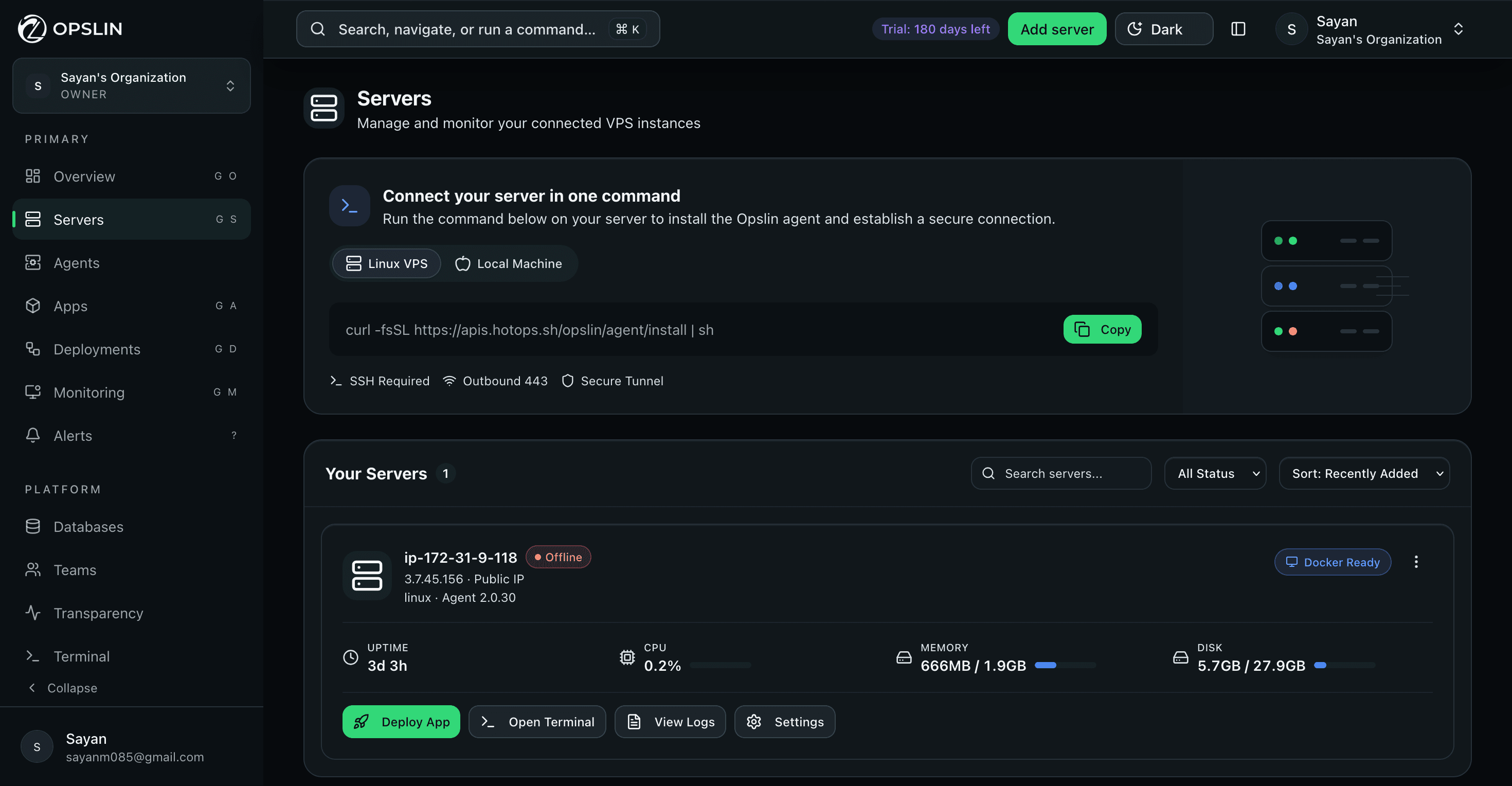
Servers
Paste a single install script and the agent reports back: CPU, memory, disk, and Docker readiness for every connected server.
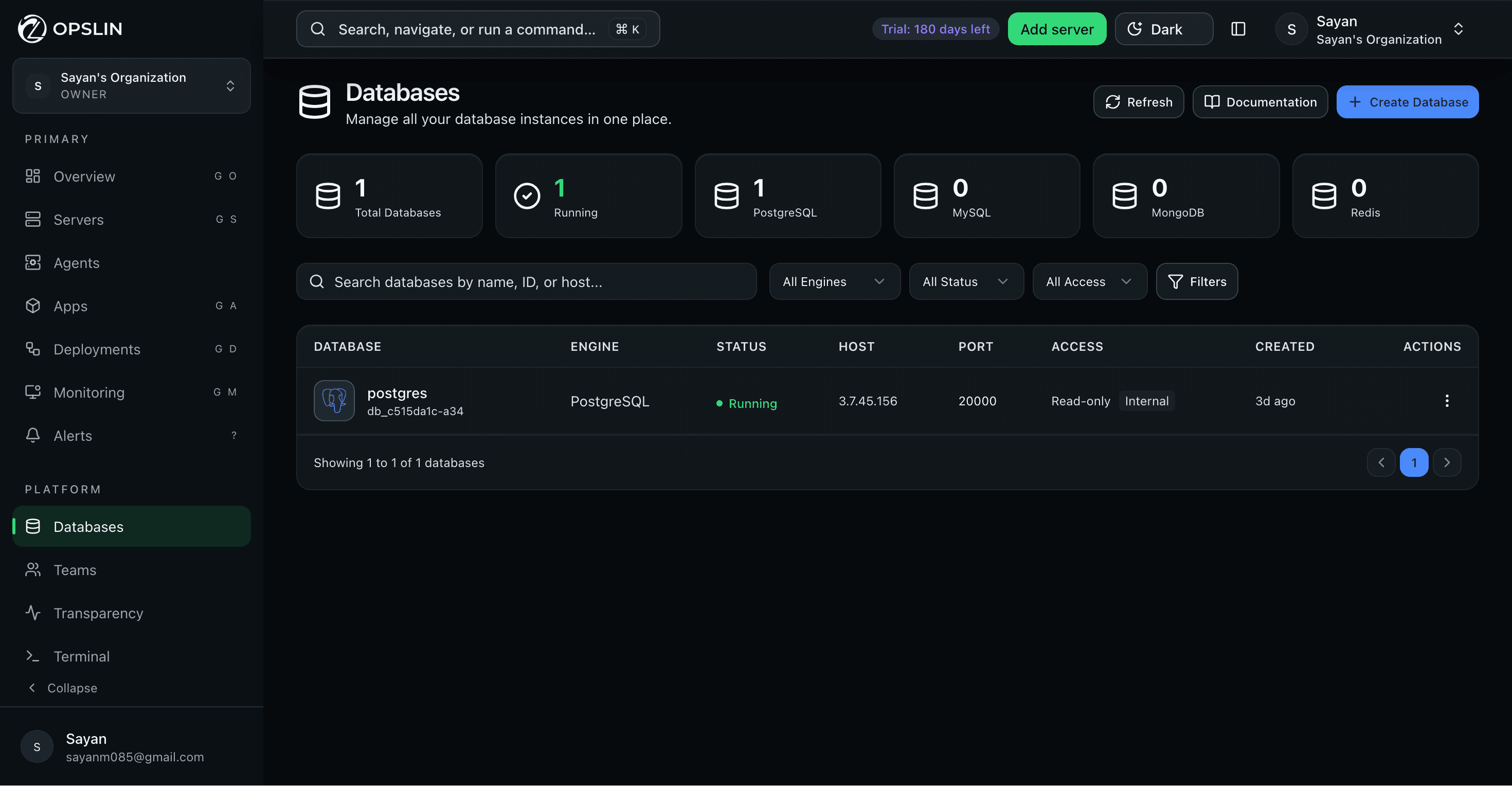
Databases
PostgreSQL, MySQL, MongoDB, and Redis instances: status, host, port, and access level, searchable and filterable from a single table.
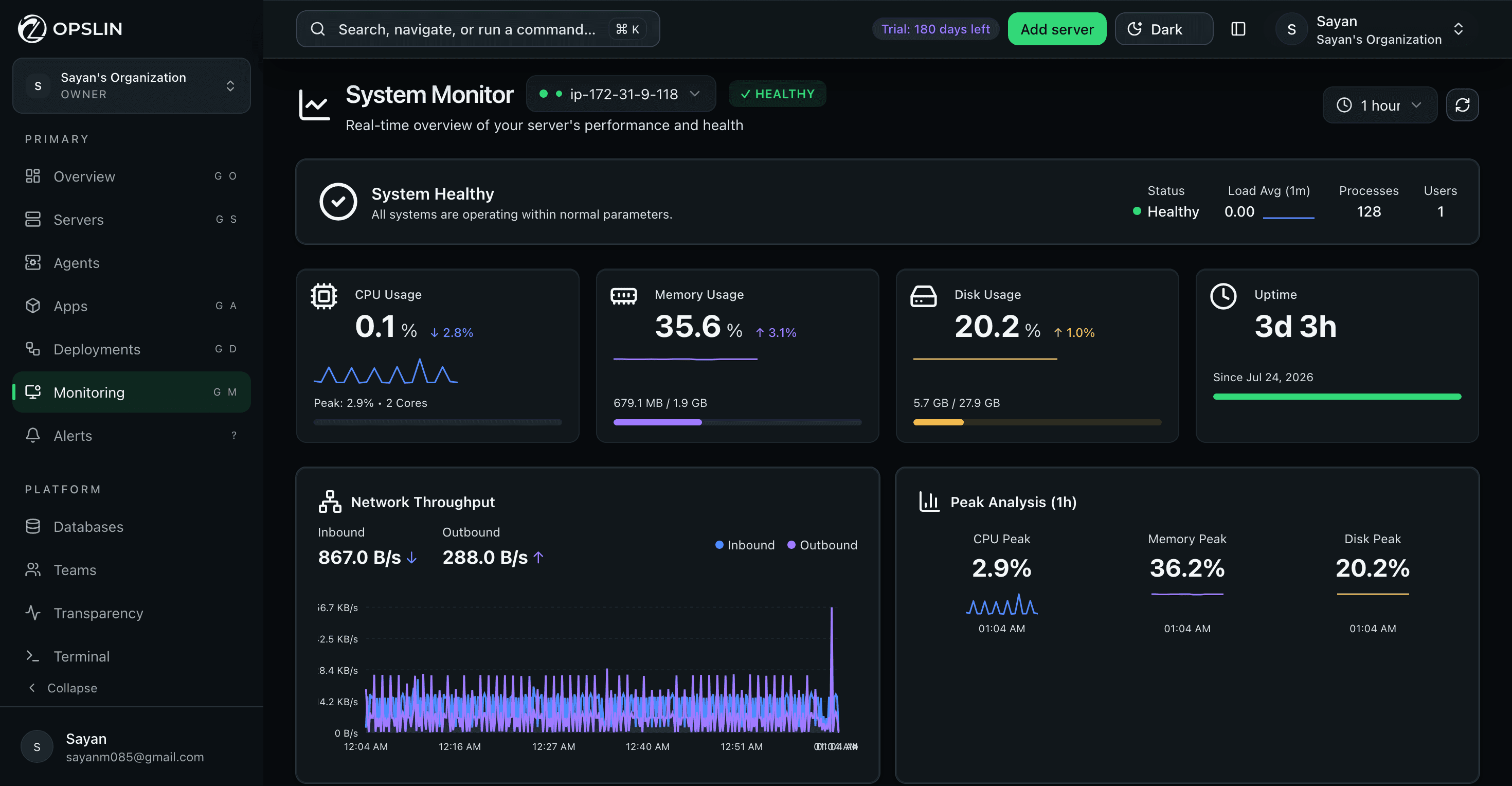
Monitoring
CPU, memory, disk, uptime, and network throughput update live, with peak analysis showing exactly when a server was pushed hardest.
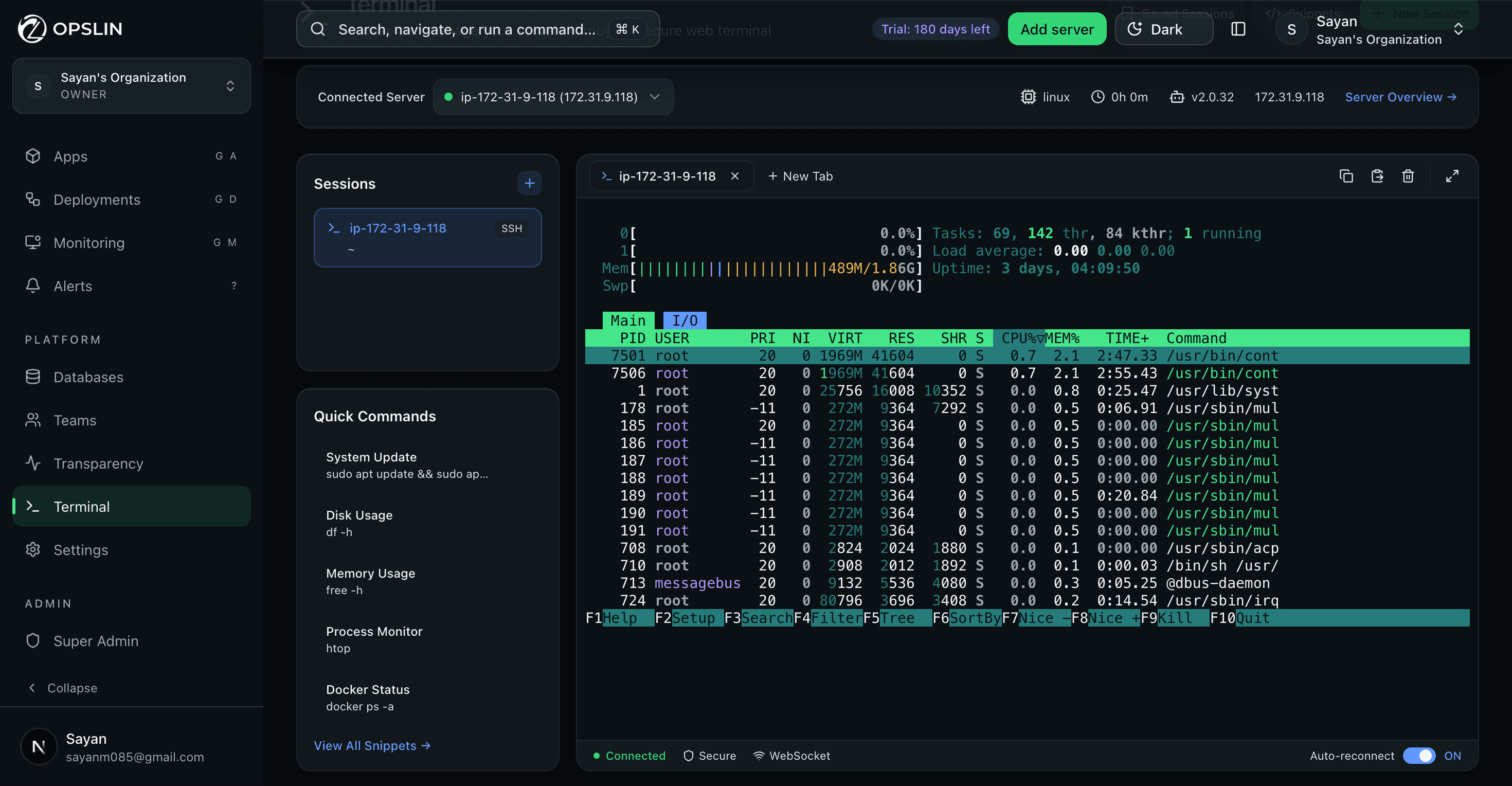
Web terminal
Open a secure terminal straight from the browser, with a session list and one-click quick commands for the checks you run most.
More than deployment
Opslin is building one connected place to help you deploy, manage, and grow software without searching through many different tools.
Use an MCP-compatible assistant to check a release, read logs, deploy a version, or return to a known working release — only within the access you approve.
Tell Launchpad what you are building. It helps you discover suitable servers, databases, storage, and affordable resources.
Discover deployment-ready software, templates, tools, and trusted experts that can work with your own VPS.
One Opslin account. Three simpler ways to build, deploy, and grow.
Use AI to operate deployments today. Soon, discover infrastructure through Launchpad and ready-to-use software through the Opslin Marketplace.Security & control
Opslin helps you launch and manage your software. It does not take ownership of your server, private code, database, or customer data.
Your server. Your rules.
Opslin operates the deployment workflow. You continue to own the server, software, and data.
Your software runs on the Linux server you own or rent.
Your server calls Opslin. You do not need to leave a public management door open.
Passwords and private keys stay encrypted and hidden from ordinary screens and logs.
Review what Opslin did and when it happened, then disconnect whenever you choose.
Supported runtime targets
Support describes runtime targets, not a guarantee for every framework version, package, operating system, architecture, or server configuration.
Comparison — Make the buying decision easy
Manual VPS gives control but creates work. Managed platforms reduce work but take control. Opslin is designed to give you both simplicity and ownership.
Three operating models
Manual VPS gives you control but creates work. Managed platforms reduce work but take control. Opslin is designed to give you both simplicity and ownership.
Beta pricing
Simple monthly pricing for infrastructure you control.
Explore Opslin with one server.
For a small production workload.
6-month trial included
For growing apps and services.
For teams operating together.
FAQ — Simple questions and answers
Simple answers about Opslin MCP, Launchpad, and Marketplace.
Opslin MCP lets you use an AI assistant to control supported deployment tasks. You can ask the AI to deploy software, check server health, read logs, or explain why a deployment failed.
No. The AI can only use the Opslin actions and permissions you allow. Important actions can ask for your approval before they run, so you stay in control.
Opslin should require confirmation before dangerous actions, such as deleting a project, removing a server, or changing important settings.
Opslin MCP is designed to operate deployment tasks, not to take ownership of your code. Your software continues to run on your own server. Any code access should be limited to what is needed for the action you approve.
Launchpad will help you find a suitable server, database, storage service, or free cloud resource for your project. You tell Launchpad what you are building, and it shows simple recommendations. Launchpad is coming soon.
Launchpad will recommend options, but you make the final choice. It can show the best option, lowest-cost option, free option, and best region for your users, with a simple explanation for each recommendation.
No. Launchpad helps you discover infrastructure from different providers. The server still belongs to you or your chosen provider.
The Marketplace will help users find ready-made software, templates, tools, and trusted experts. Instead of building everything from zero, you can choose something already prepared and deploy it using Opslin. Marketplace is coming soon.
Supported Marketplace products will be designed to run on a compatible server you control. Before choosing a product, you should be able to see its server, database, and technology requirements.
Yes. Developers, agencies, and software companies will be able to publish deployment-ready products or services after meeting Opslin’s seller requirements.
Marketplace listings should clearly show seller identity, ratings and reviews, update history, support details, server requirements, and verified seller status. This helps users make safer decisions.
Not yet. Opslin MCP is available in beta. Launchpad and Marketplace are planned products and should be clearly marked as Coming Soon.
Basic technical knowledge may still help, but Opslin is designed to make deployment easier. The goal is to explain complex server work in simple steps that developers, founders, students, and small teams can understand.
Yes, that is the long-term idea: find a suitable server with Launchpad, choose software from the Marketplace, deploy and manage it using Opslin, and control supported actions through an AI assistant.
You can start with Opslin’s deployment platform and MCP beta. Launchpad and Marketplace will be added later as the ecosystem grows.
Your server. Your software. Your control.
Connect your code and server. Opslin guides the deployment, security, monitoring, and recovery from one simple dashboard.
No credit card required Your server stays yours Disconnect anytime


 ChatGPT
 Claude
 Kiro
Kiro Gemini


